An absurd haiku widget
Background
I built a small system that writes me a silly haiku every morning about something I like (cats, pasta with cheese, Skippy peanut butter, Gen Z slang, buying fruit but not eating it, etc.) and displays it as a card on my Notion home dashboard.
I did it because I wanted to see if I could and because the idea of getting a daily nonsense poem about something like Spicy Chilli Crisp made me chuckle.
At the time I built this, I was using Notion as a personal OS in the form of a home dashboard where I logged my days, tracked insights, and kept everything in one place (this later evolved into BrainDiver). The dashboard was functional but missing something with a bit of personality or whimsy (big fan of the whimsy). I love haiku as a form (the constraint of three lines, the compression of an idea into 17 syllables—all of which, by the way, work great as an anti-anxiety exercise because the rhythmic counting of syllables when writing one in an anxious moment is a lovely distraction for the brain, and you’re actively creating something, which is a bonus), and I love a bit of nonsense. So the question became: could I build something that generates a (possibly absurd) haiku every morning, based on things I like or find funny, and have it show up on my dashboard automatically?
The answer turned out to be yes. It just took a workflow automation tool I already knew (n8n), a framework I was playing with (Next.js), and a fair amount of vibe coding with AI assistance.
What it does
The system runs on a simple daily loop:
- Every morning at 6am, a workflow picks one of my interests at random (weighted so favourites come up more often).
- It sends that topic to OpenAI (I’m no longer subscribed to it, though, because Sam is a bit of a dickhead) with a prompt asking for an absurd haiku in strict 5-7-5 syllable format.
- The output is validated against the 5-7-5 pattern using an actual syllable-counting library — not the model's own count.
- If the syllables are wrong, the model is told exactly what it got wrong and asked to rewrite. This can loop up to five times.
- Once valid, the haiku is saved to a Notion database with the date, topic, three lines, and a validation flag.
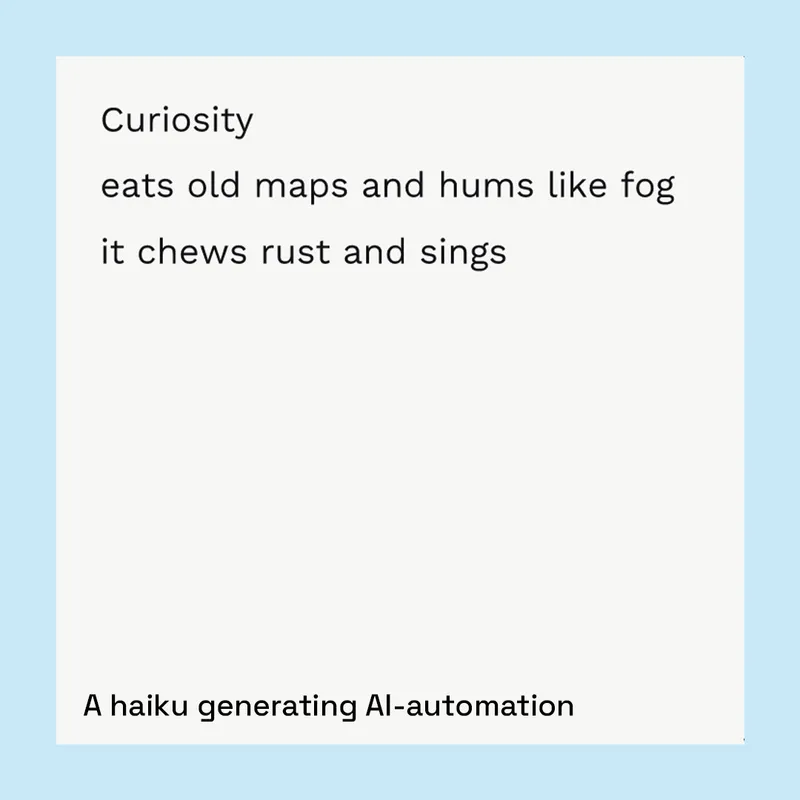
- A small web app reads the latest entry from that database and renders it as a styled card, embedded on my Notion home page.
The whole thing runs without any input from me. I just open Notion in the morning, and there's a new poem waiting.
The interests list
The topics are the heart of this project. They come from a Notion database of 44 things I like, find funny, or comforting. Each has a weight from 1 to 5 that controls how often it gets picked. The higher the weight, the more likely it is to come up on any given day.
The eight items at weight 5 (the most likely to appear) are: ADHD, Autism in women, Nonsense, Cats, Being at home, Gen Z slang, Aromat (seasoning), and Skippy peanut butter. Together, these account for about 27% of all picks.
At weight 1 (rare appearances): Funny videos of animals, Funny mugs, and The Greatest Showman (the movie).
Everything else falls somewhere in between. Some of the topics are earnest Puns and wordplay, Creativity, Writing, Art and Illustration. Some are very specific, like Vivaldi's Four Seasons: Winter, John Irving (the author), and The Killers (the band). And some exist purely because they're funny to get a haiku about (I was a teenager in the height of the Twilight era).
The output
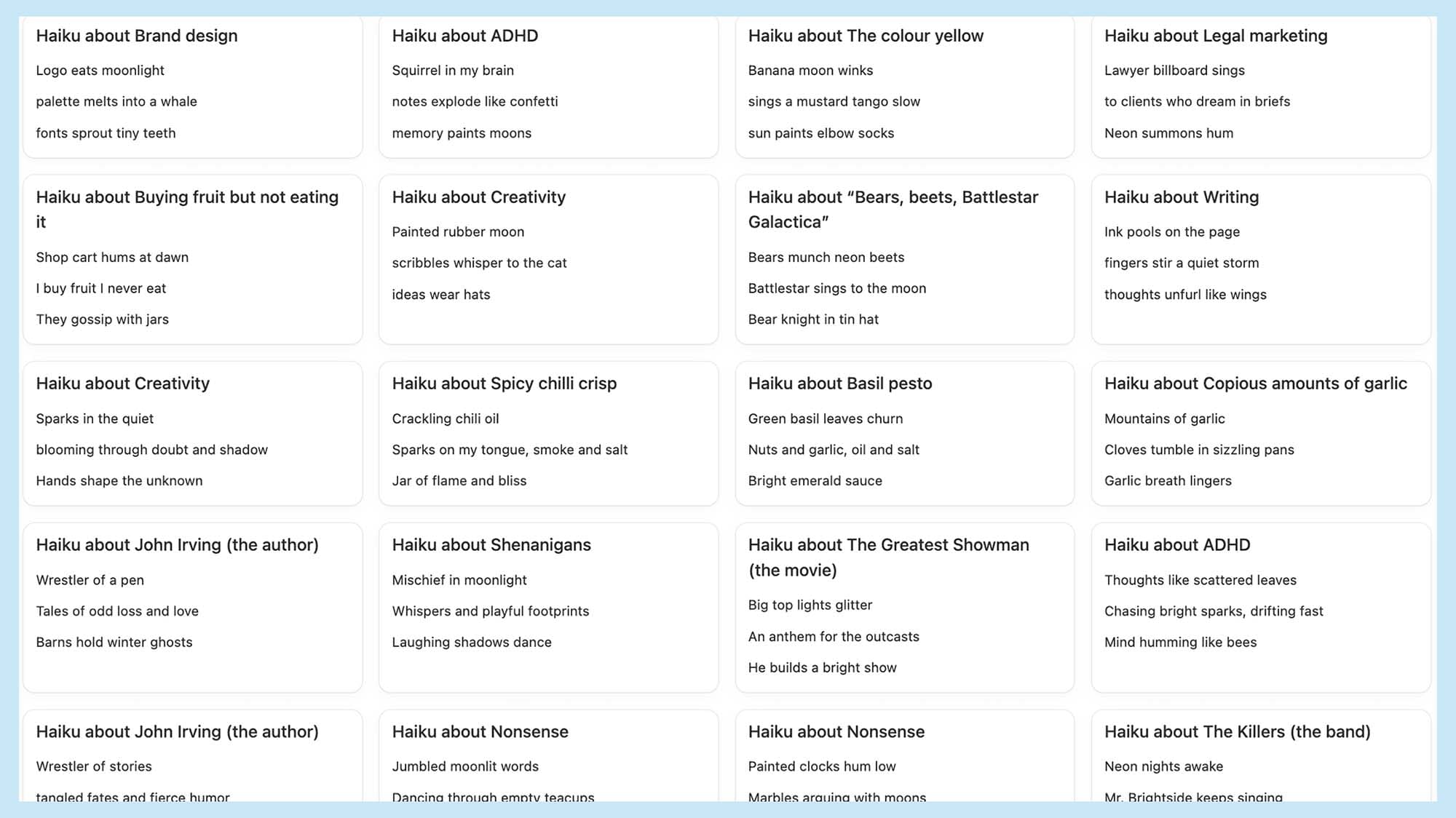
The system ran from a few months towards the end of 2025, generating 107 haiku across 40 different topics. Every single one passed the 5-7-5 syllable validation (though some needed a retry to get there). It settled into a steady one per morning at 6am.
The most frequently appearing topics were ADHD and "Bears, beets, Battlestar Galactica" (nod to The Office, obviously), followed by Funny mugs, Buying fruit but not eating it, and Being at home. Eleven topics appeared only once (including Aromat, Skippy peanut butter, Iceland, and Cats) which is partly down to randomness and partly because the system only ran for a few months.
What the model gravitated toward
Looking at the full corpus, some patterns emerge in the language the model chose. The most common words across all the generated haiku (excluding basic articles and prepositions) were: warm (13 times), quiet (11), hands (10), bright (9), moon (8), stars (8), hums (8), and morning (8). The model clearly has a tonal comfort zone — moonlit, humming, warm-handed, which is both charming and a little predictable. The best haiku are the ones where it broke out of that pattern.
Slide 1 of 13
How it's built
The generation pipeline (n8n)
The daily workflow runs in n8n, an open-source workflow automation tool. The flow is:
- Cron trigger — fires at 6am Africa/Johannesburg time.
- Notion: Get Many — pulls all entries from the Interests database with their names and weights.
- Function: Pick Weighted Topic — runs a weighted random selection. Each interest's probability is proportional to its weight divided by the total weight of all interests (146). A weight-5 item like ADHD has roughly a 3.4% chance on any given day; a weight-1 item like The Greatest Showman (movie) has about 0.7%.
- OpenAI: Chat — sends the topic to gpt-4o-mini with a system prompt enforcing the haiku format. Temperature is set high (1.0–1.2) for maximum weirdness.
- Function: Validate 5-7-5 — splits the response into three lines and counts syllables using a rule-based counter. Checks whether the counts are exactly 5, 7, 5.
- IF: Valid? — branches based on the validation result.
- If invalid → OpenAI: Chat (Rewrite) — tells the model exactly what the syllable counts were and asks it to rewrite. This feeds back through validation.
- Notion: Create Page — writes the final haiku to the Haiku Log database with all fields populated.
The prompt engineering is minimal but deliberate. The system prompt is strict about format (three lines, no commentary, no numbering) and tone (absurd/surreal but non-offensive). The high temperature setting pushes the model toward unexpected word choices, which is the whole point.
The display layer (Vercel / Next.js)
The display side is a separate Next.js 14 app hosted on Vercel. It has no knowledge of the generation process — it just reads from the same Notion database that n8n writes to.
The app has a few routes:
- /haiku — a server-rendered page that fetches the latest haiku from Notion and displays it as a minimal card with the three lines and the date. This is what gets embedded in Notion using an /Embed block.
- /api/haiku — a JSON endpoint that returns the latest haiku data (useful for debugging).
- /api/haiku-image — a server-rendered image endpoint that generates a PNG of the haiku card on the fly using Next.js's ImageResponse API. This turned out to be the more reliable way to display the widget in Notion, since Notion's embed blocks can be inconsistent with live web pages.
- /haiku-image-daily — a redirect route that appends the current date as a query parameter, acting as a cache-buster so Notion requests a fresh image each day instead of showing yesterday's.
The card itself is styled with Work Sans, responsive typography using CSS clamp() values, and a transparent background so it blends into the Notion page. The design went through a few iterations — I had a specific visual reference I was trying to match, and it took some back-and-forth with AI to get the padding, font sizes, and corner radius feeling right.
Why n8n + Vercel (two separate systems)?
There wasn't a grand architectural reason for this split. I already had experience with n8n, so it was the natural place to wire up the generation workflow — topic selection, OpenAI calls, validation, retries, writing to Notion. But the visual widget needed to be hosted somewhere that could serve a web page or image for Notion to embed, and n8n doesn't do that. Vercel was the simplest option for hosting a small Next.js app. So n8n handles everything upstream (generation), Vercel handles everything downstream (display), and they share Notion as the data layer in between.
Tech stack
- n8n — workflow automation (scheduling, topic selection, OpenAI calls, validation, Notion writes)
- OpenAI API (gpt-4o-mini) — haiku generation
- Next.js 14 (App Router) on Vercel — display layer and image generation
- Notion API — data source (interests) and data store (haiku log)
- syllable (npm) / custom syllable counter (n8n) — 5-7-5 validation
Technical details worth noting
Syllable validation
This is probably the most important technical decision in the project. LLMs are notoriously unreliable at counting syllables — they'll confidently produce a haiku that's 6-8-4 and call it 5-7-5. Rather than trusting the model's output, the system uses a proper syllable-counting library (the syllable npm package on the Vercel side and a custom rule-based counter in n8n's code nodes) to verify every haiku.
When validation fails, the model doesn't just get asked to "try again", it's told exactly what the syllable counts were ("Your last haiku was 6/8/4. Rewrite."). This targeted feedback makes the retry much more effective than a generic re-prompt. The system allows up to five retry loops, and there's a hardcoded fallback haiku so the dashboard is never empty. In practice, most haiku passed on the first or second attempt, and the full log shows a 100% eventual validation rate across all the entries.
The image rendering evolution
The project started with a live HTML widget embedded in Notion via an /Embed block. This worked but had reliability issues because Notion's iframe embedding can be inconsistent, and there were caching problems where the widget would show yesterday's haiku. The solution was to build a server-rendered image endpoint (/api/haiku-image) that generates a PNG on each request using Next.js's ImageResponse API. A separate redirect route (/haiku-image-daily) appends the current date as a query parameter, which acts as a cache-buster so Notion requests a new image each day. This was the more stable approach.
Notion as the glue
Notion serves triple duty here: it's where I curate my interests (input), where the haiku are stored (data layer), and where the widget is displayed (output). The Notion API handles reads and writes from both n8n and Vercel, using an internal integration token. The haiku log database has a simple schema (Date, Topic, Line 1, Line 2, Line 3, and a Valid575 checkbox), and the display app just queries for the most recent entry sorted by date.
Closing thought
This was a vibe-coded, AI-assisted project from start to finish. I used AI to help me scaffold the Next.js app, write the image generation endpoint, debug the CSS to match my visual reference, and figure out the Notion API calls. Some parts were planned out (the n8n workflow logic, the validation loop, and the data model), and some parts were just trying things until they worked (the responsive typography, the image caching strategy, and getting the card's border radius to feel right).
The whole thing came together pretty quickly. It's by no means a production system. It’s merely a personal project that does one small, silly thing well.
There's no grand takeaway. I like haiku, I like nonsense, and I got a small, weird poem every morning for a few months about something that made me happy. That's the point.